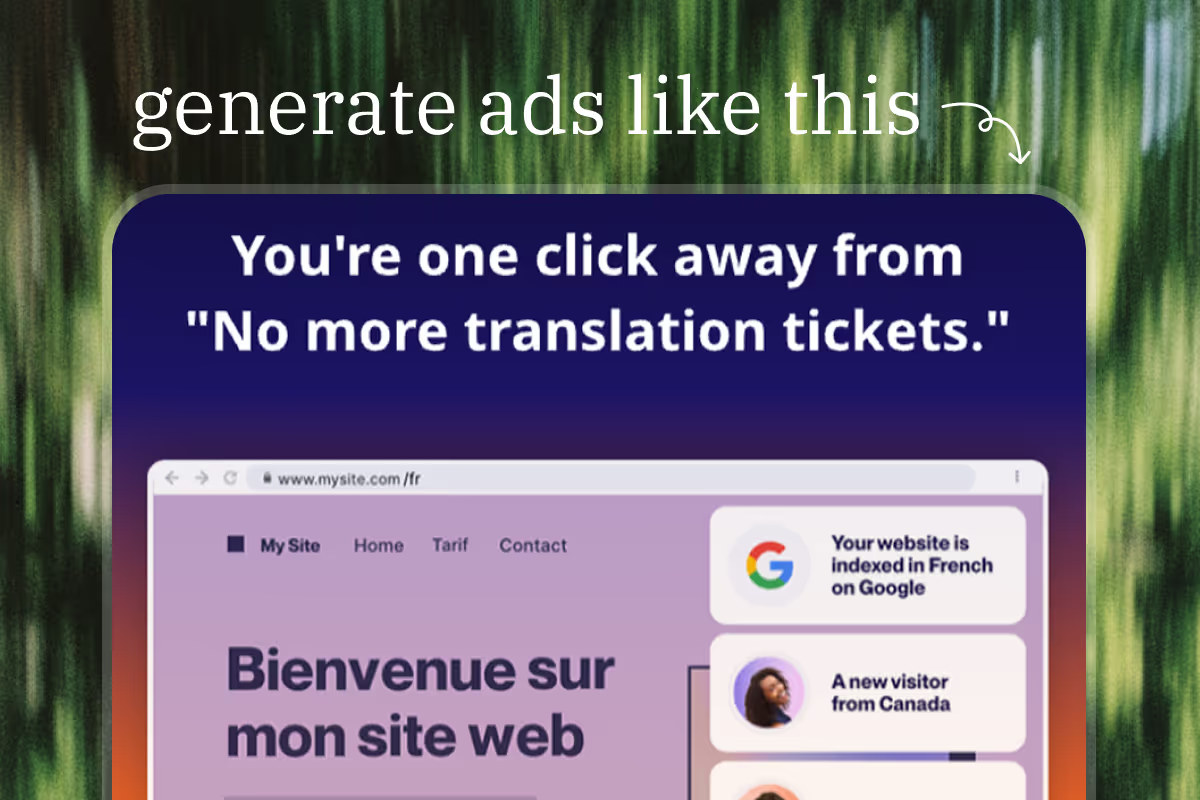
Every day, AI bros on LinkedIn promise that AI will take my job.
Let's try to automate ad creation and see if they're right 😅
I'll use Weglot, a website translation tool, as an example.
1. Claude Code. Desktop version is fine. ($20/mo)
2. Pencil. Desktop version. (Free)
1. List pain points and goals
I use this basic audience research prompt:
Research the company by visiting their website: [link here]
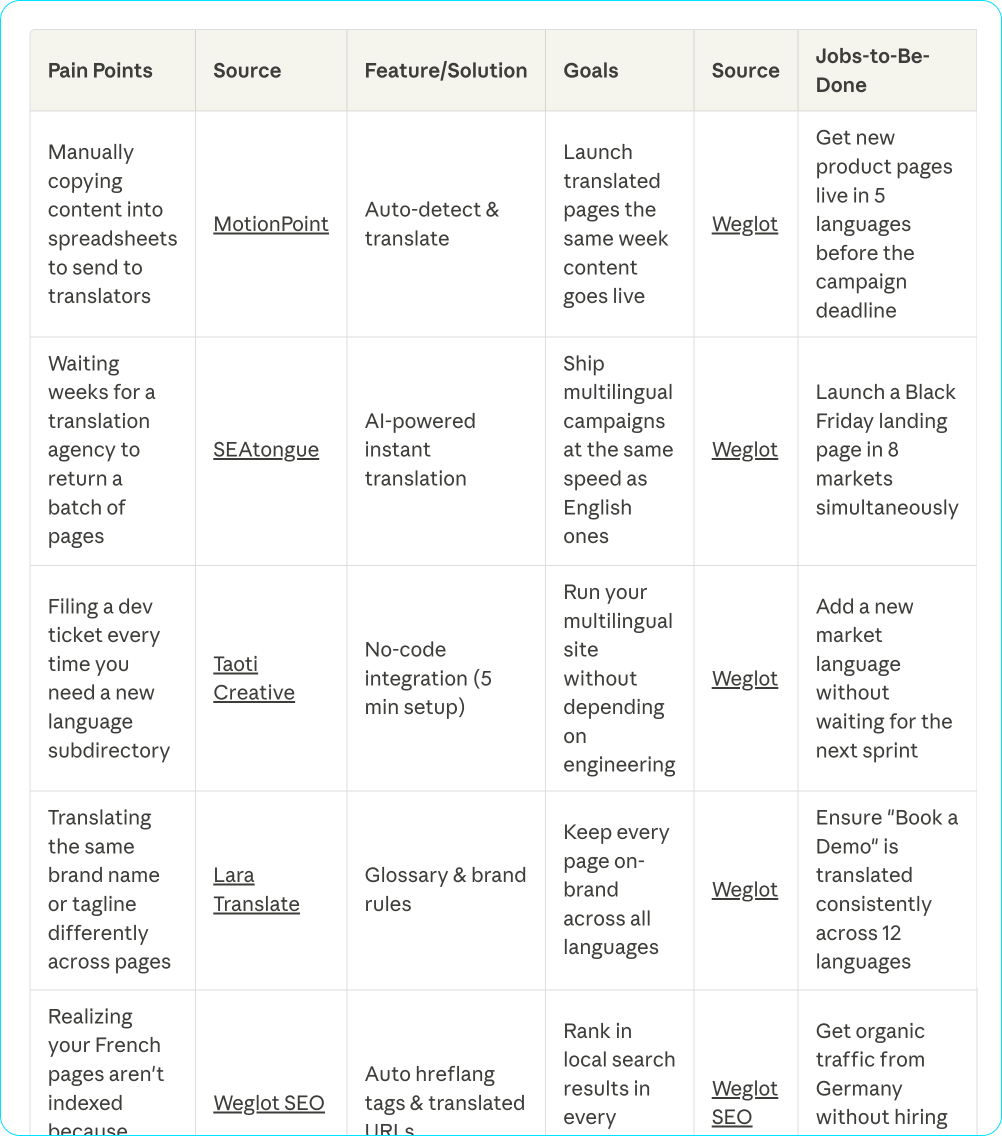
Build a table with 10 of each:
Pain Points | Source | Feature/Solution | Goals | Source | Jobs-to-Be-Done
The Feature/Solution column identifies the specific product feature that addresses each pain point (e.g., "AI Background Remover", "One-Click Export", "Real-Time Collaboration"). Find these on the company's website: look at feature pages, product tours, and pricing pages.
Quality guidance:
Good pain point: "Checking 5 different apps for one update" (concrete situation you can picture someone doing)
Good goal: "Closing deals by lunch" (specific outcome you can picture someone celebrating)
And I get this table:
2. Generate headlines
AI can't write truly creative ad headlines all by itself.
But it can generate simple ad copy if you give it the right templates.
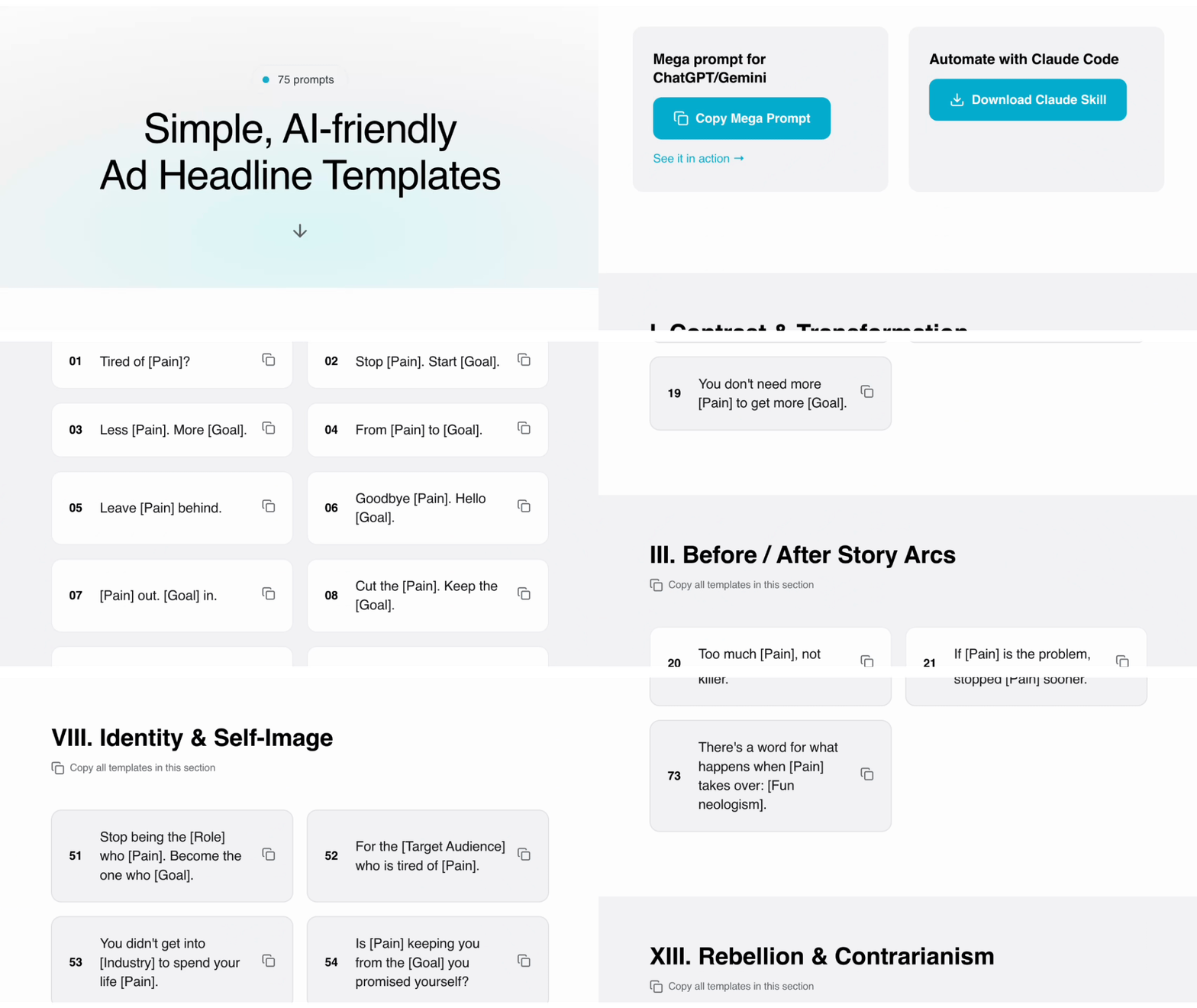
So I wrote 75 basic ad headline templates, and turned them into copy-paste prompts.
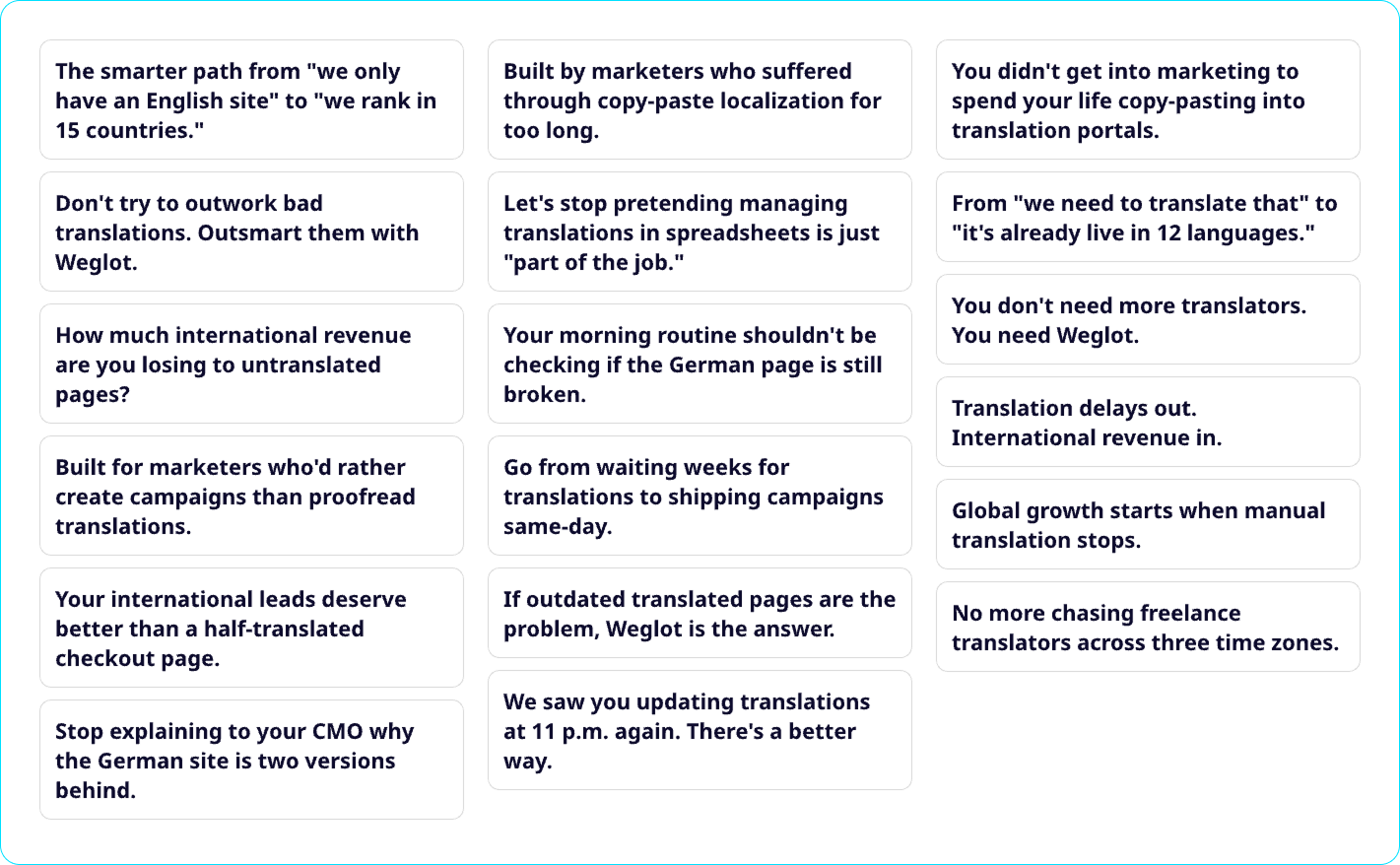
Claude returns around 100 headlines. I pick 25:
3. Provide assets
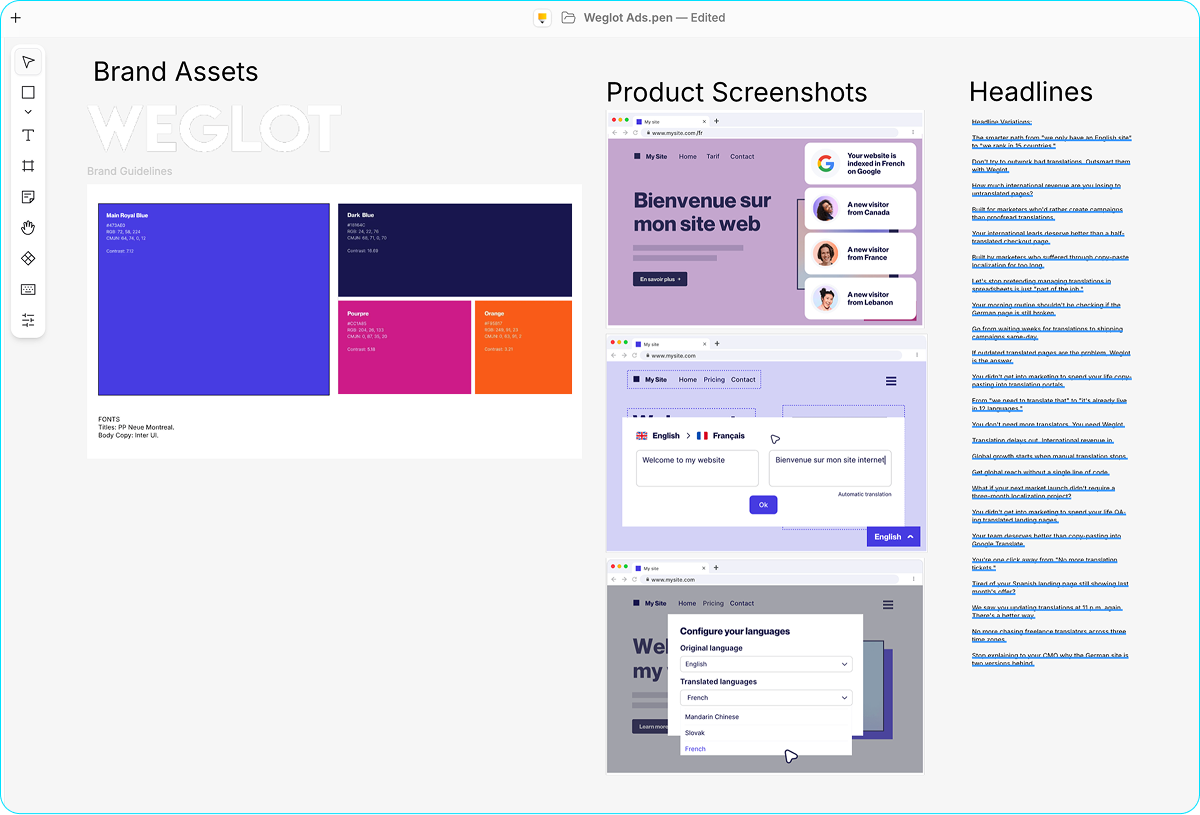
Next, I open Pencil.
Pencil is like Figma, but it also connects to Claude Code.
I drop in Weglot's logo, color palette, and my new ad headlines.
4. Prompt designer agents
Now the fun part. I open the small chatbox in Pencil, and write my prompt:
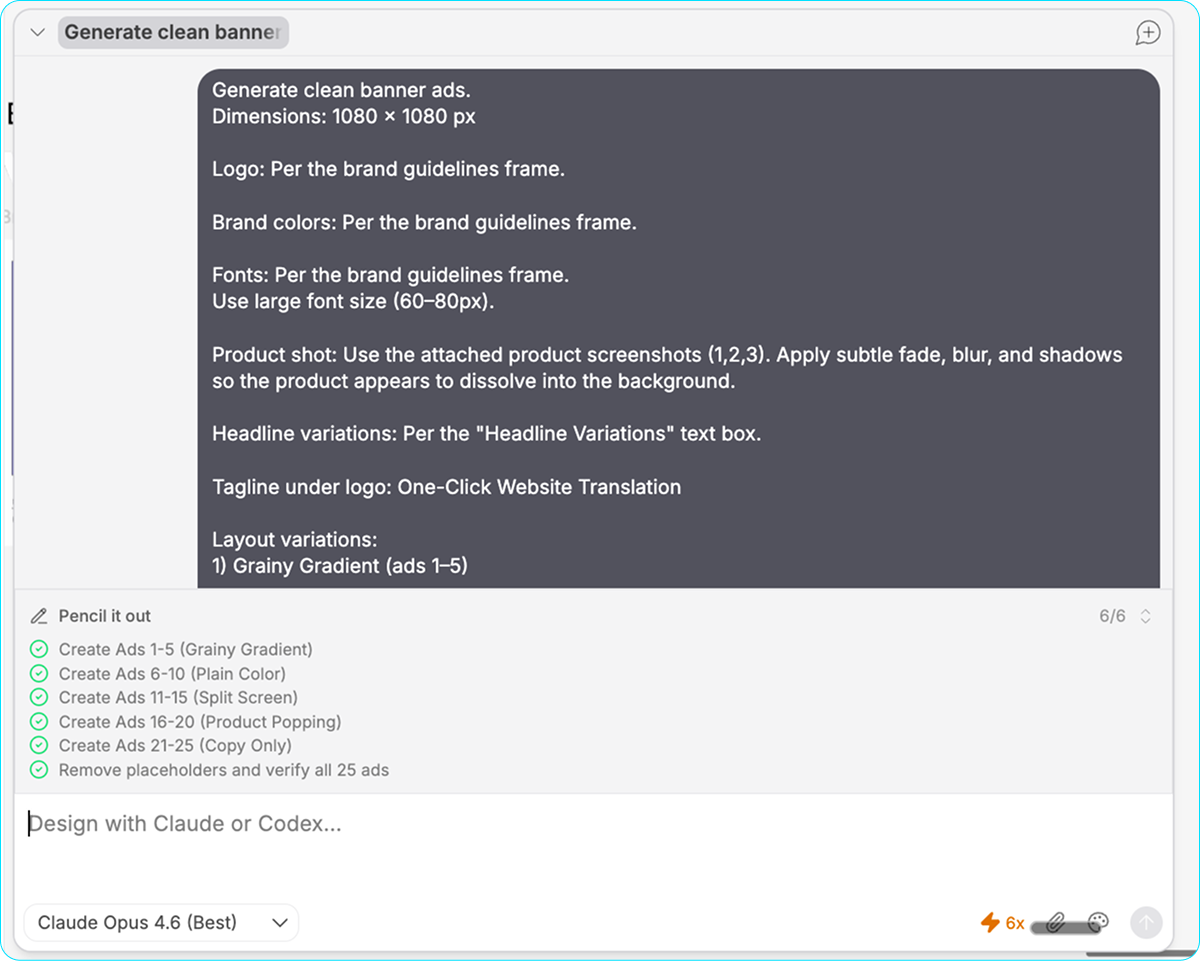
Copy my pencil prompt template:
PENCIL AD CREATION PROMPT ========================= Generate clean banner ads. Dimensions: 1080 × 1080 px Logo: Per the brand guidelines frame. Brand colors: Per the brand guidelines frame. Fonts: Per the brand guidelines frame. Use large font size (60–80px). Product shot: Use the attached product screenshots (1, 2, 3). Apply subtle fade, blur, and shadows so the product appears to dissolve into the background. Headline variations: Per the "Headline Variations" text box. Tagline under logo: One-Click Website Translation 1) Grainy Gradient (Ads 1–5) — Headline → Spacer → Product shot → Spacer → Logo → Tagline All elements center-aligned. Background: Grainy mesh gradient, two colors. Dark base at top, orange or pourpre at bottom. Bézier handles for smooth interpolation, no gaps. 2) Plain Color Background (Ads 6–10) Same layout as variation 1, plain brand color background. 3) Split Screen (Ads 11–15) Top half: Product shot. Bottom half: Copy, logo, tagline on plain brand color. — Product shot → Spacer → Headline → Spacer → Logo → Tagline 4) Product Shot Popping from Bottom (Ads 16–20) — Product shot → Spacer → Headline → Spacer → Logo → Tagline 5) Copy Only, No Visuals (Ads 21–25) — Headline → Spacer → Logo → Tagline Background: Gradient. Generate 25 ad variations. Use different layouts, headlines, and product screenshots.
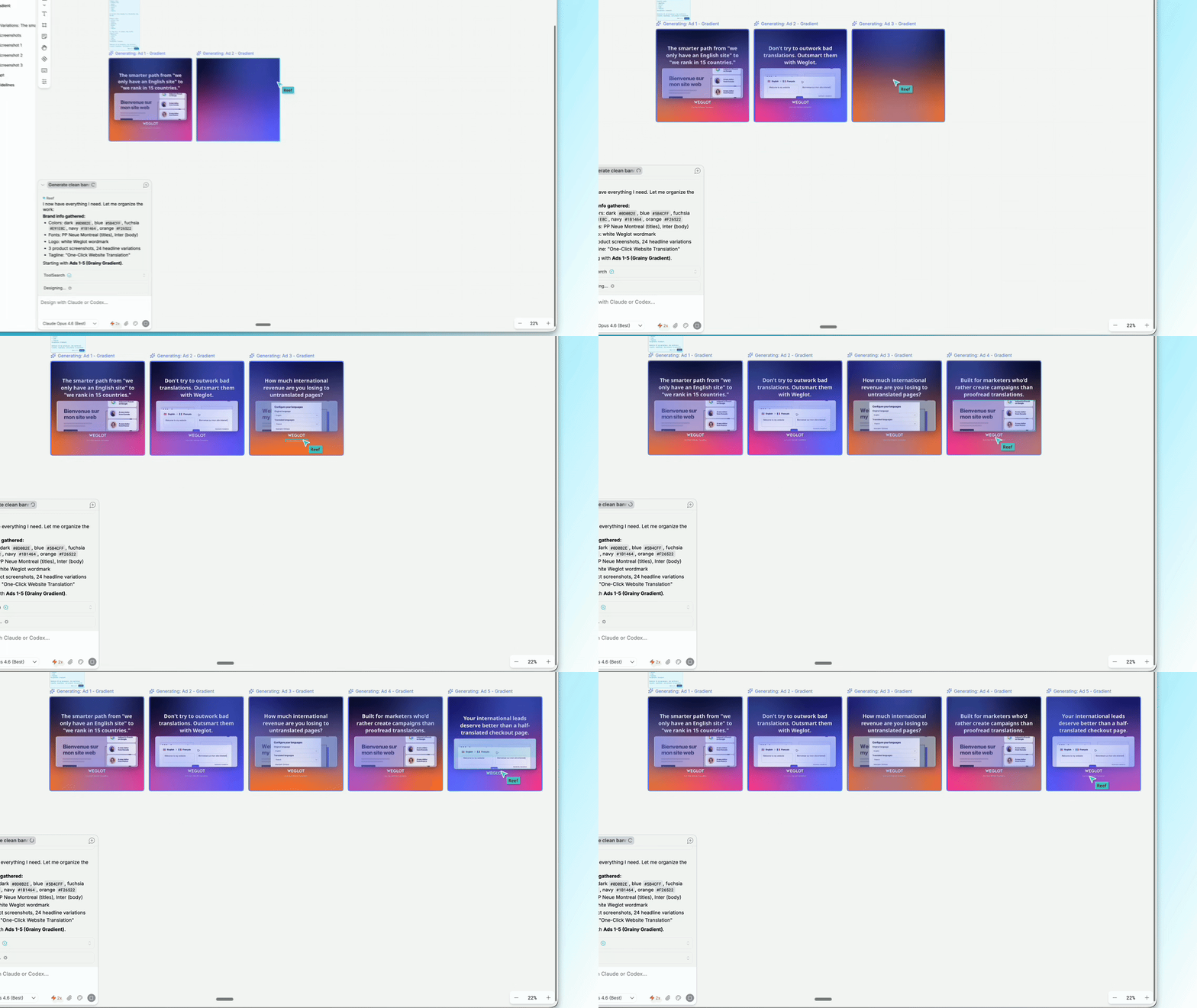
The agents scan the assets, and then go to work:
5. Feedback and iterations
I open 5 more chat windows and ask each agent to fix something different. For example:
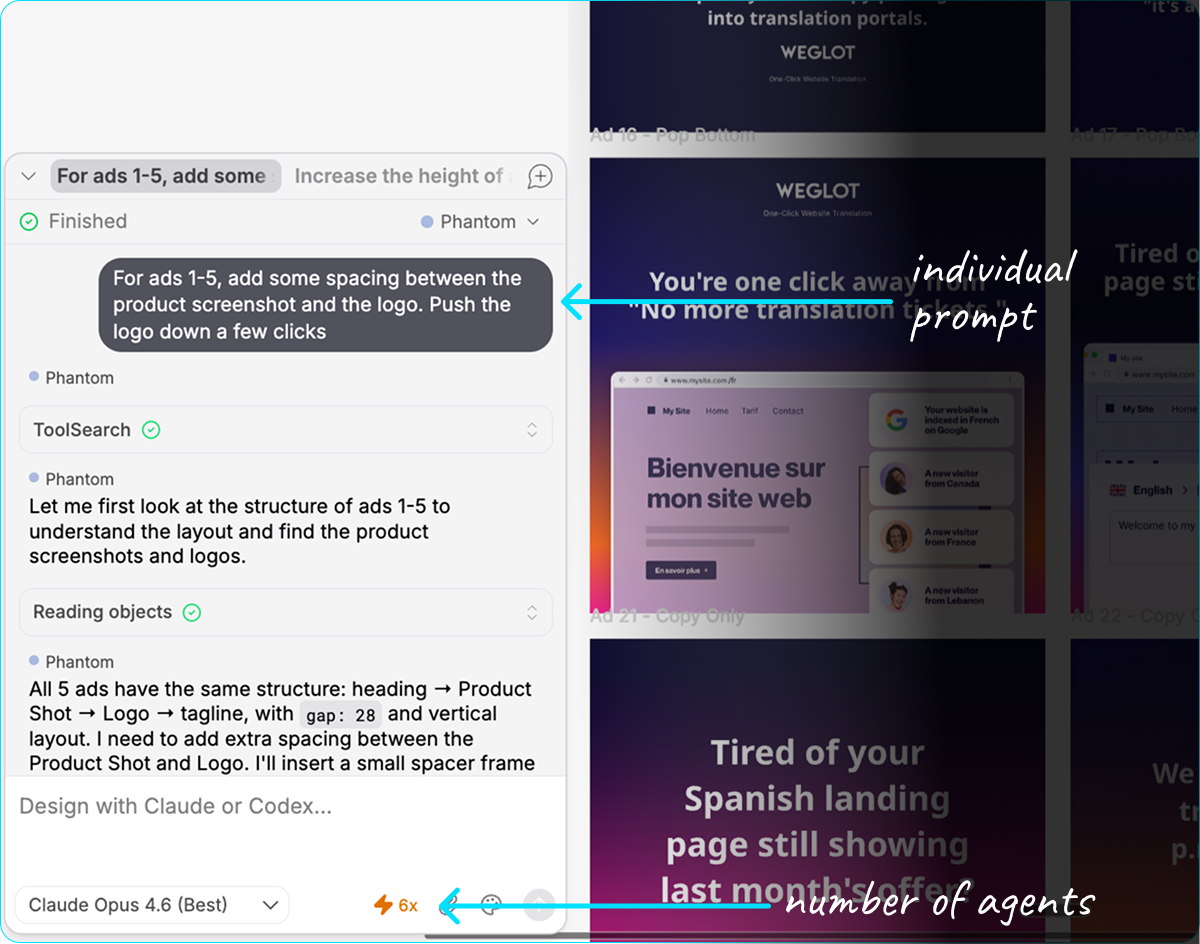
Finally, I make some manual adjustments: font sizes, spacing, copy tweaks.
And pick my favorites:
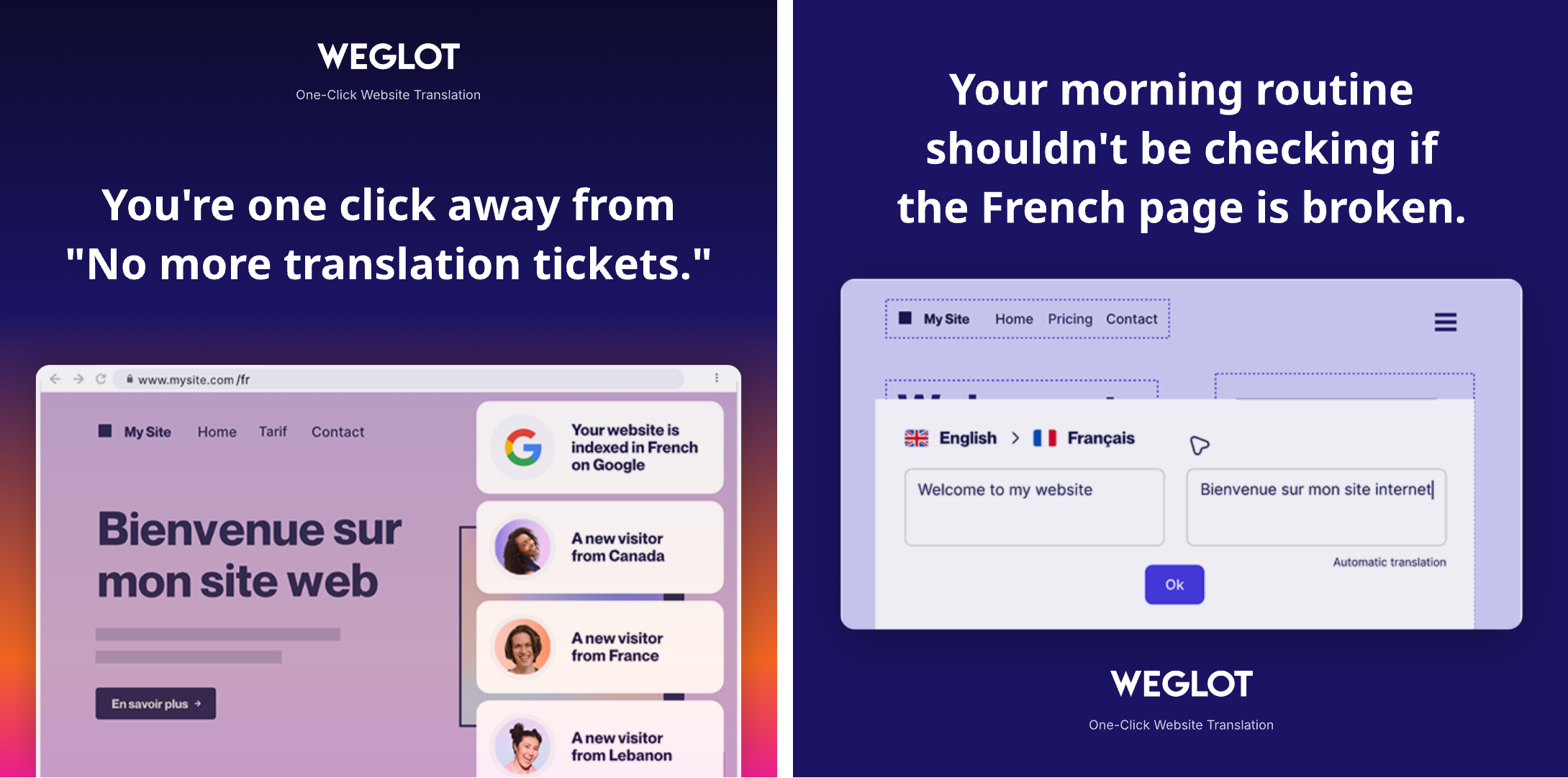
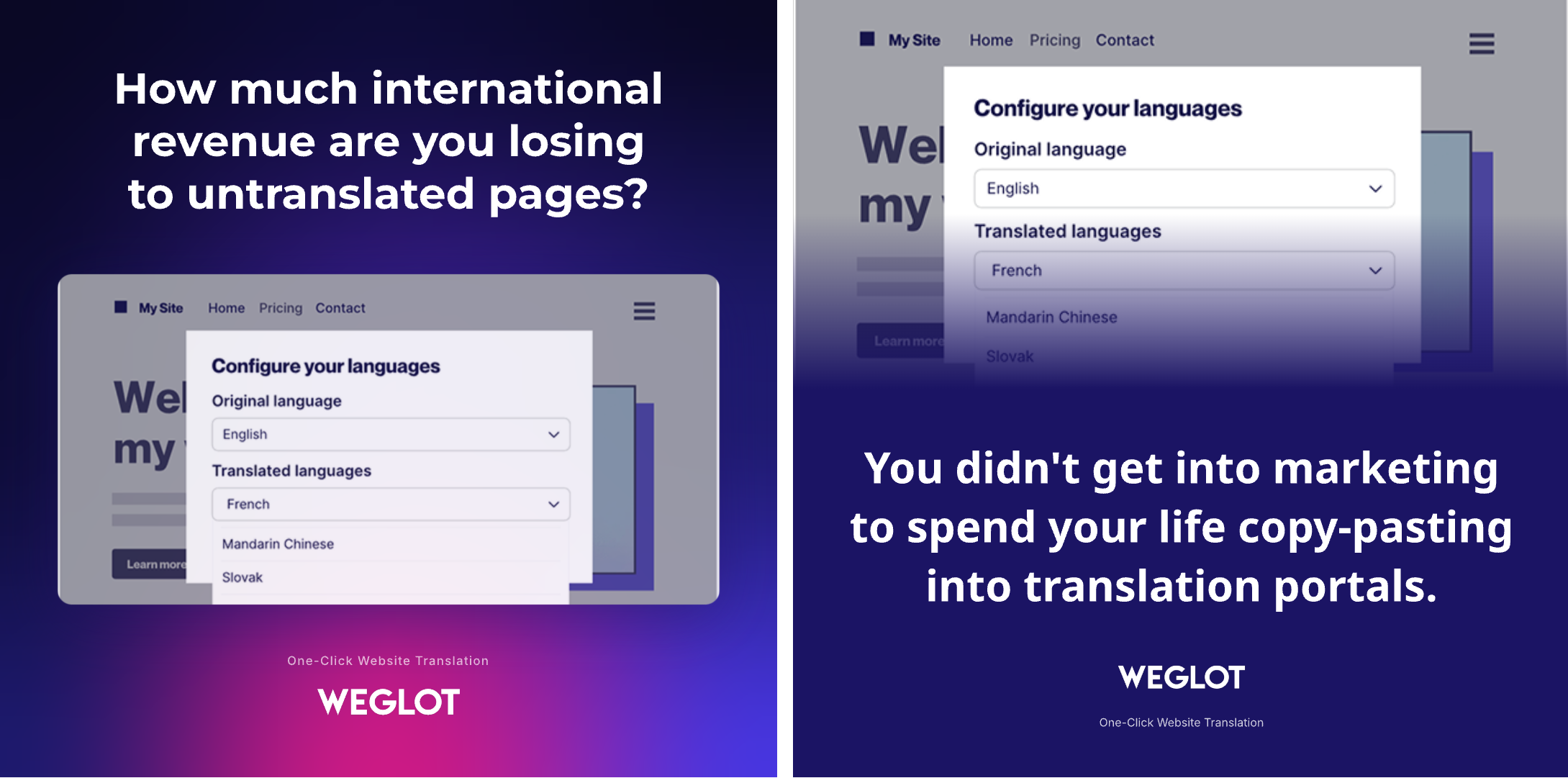
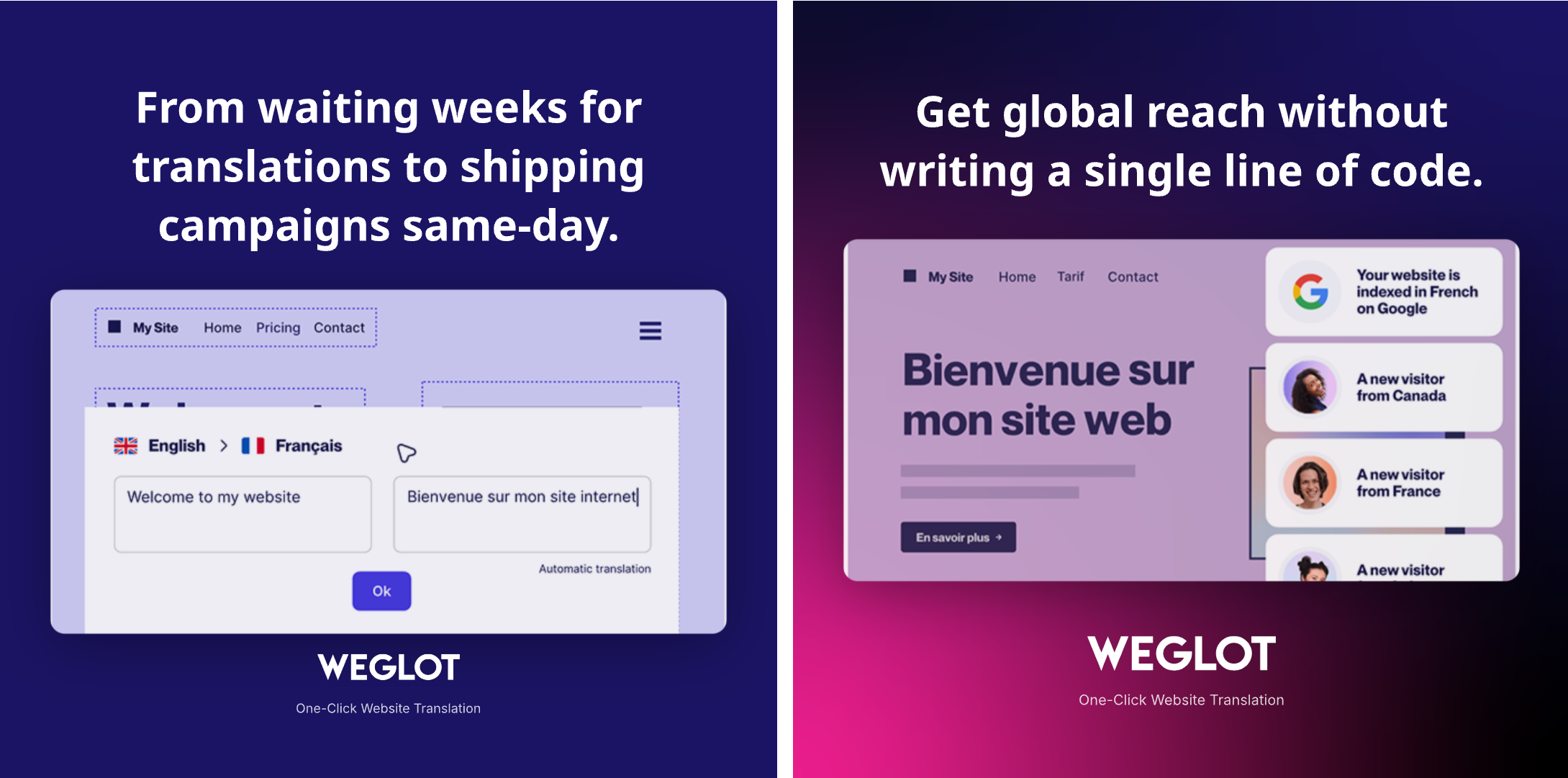
Sure, not top-tier creative work. But good enough for startups that can’t afford a copywriter or a designer. Some agencies charge $15k/mo for lower quality, I swear.